Percentages With Different Group Sizes: Show the Rate and the Count
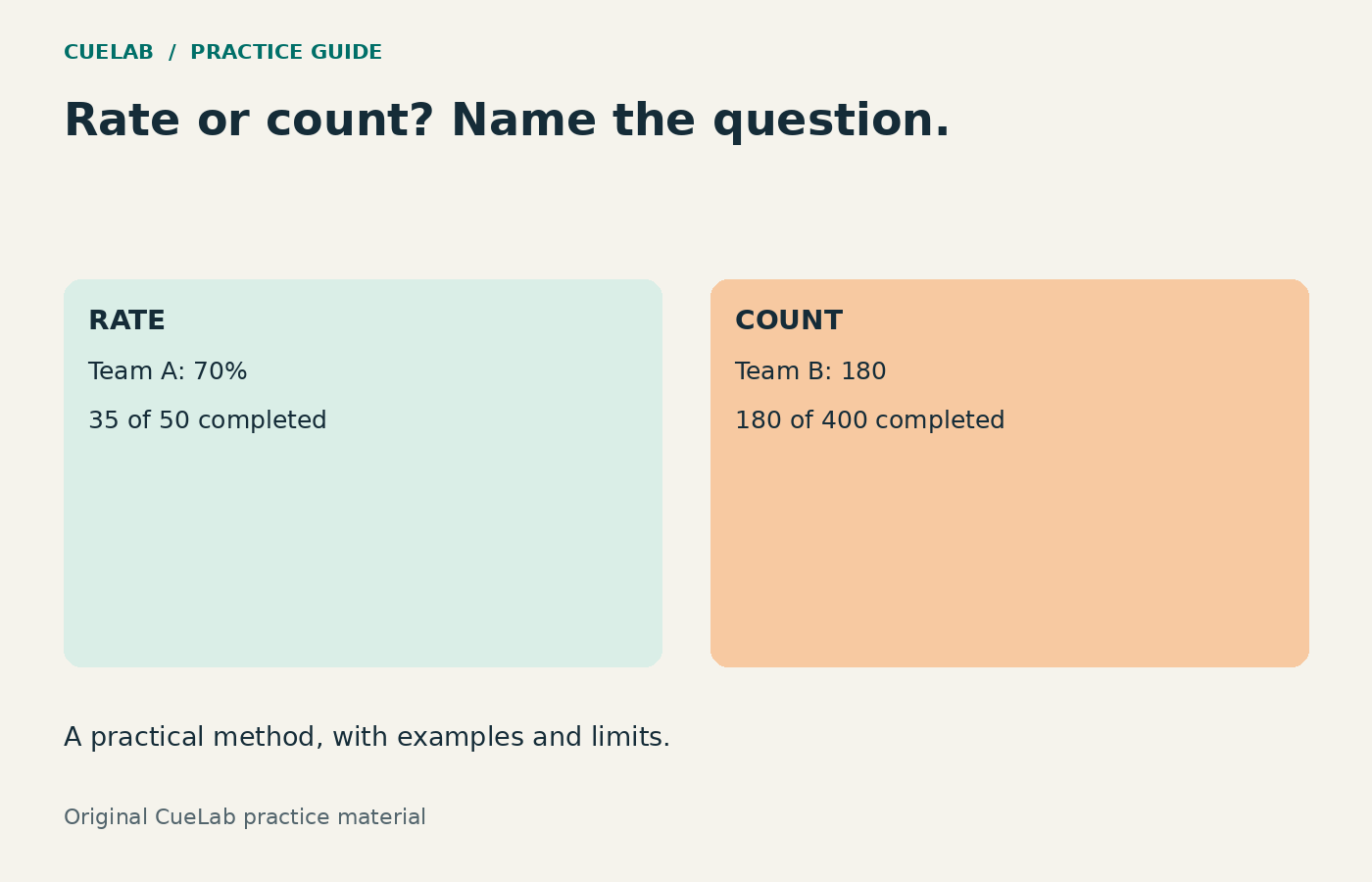
Team A reports a 70% completion rate. Team B reports 45%. A slide titled “Team A completed more training” sounds plausible, but it could be wrong. The percentage describes a share of a group; it does not tell you how many people completed the training until you know the group size.
This guide builds a complete slide from an original fictional dataset. It separates the questions a rate can answer from the questions that require a count. The calculations are shown so you can reproduce the example and adapt it to your own presentation.
The dataset: two different questions, two different winners
Suppose 35 of Team A’s 50 eligible staff completed a course. In Team B, 180 of 400 eligible staff completed it. Both teams used the same completion definition and reporting window in this practice example. These figures are illustrative; they are not workplace results collected by CueLab.
| Team | Completed | Eligible staff | Completion rate | Not completed |
|---|---|---|---|---|
| A | 35 | 50 | 70% | 15 |
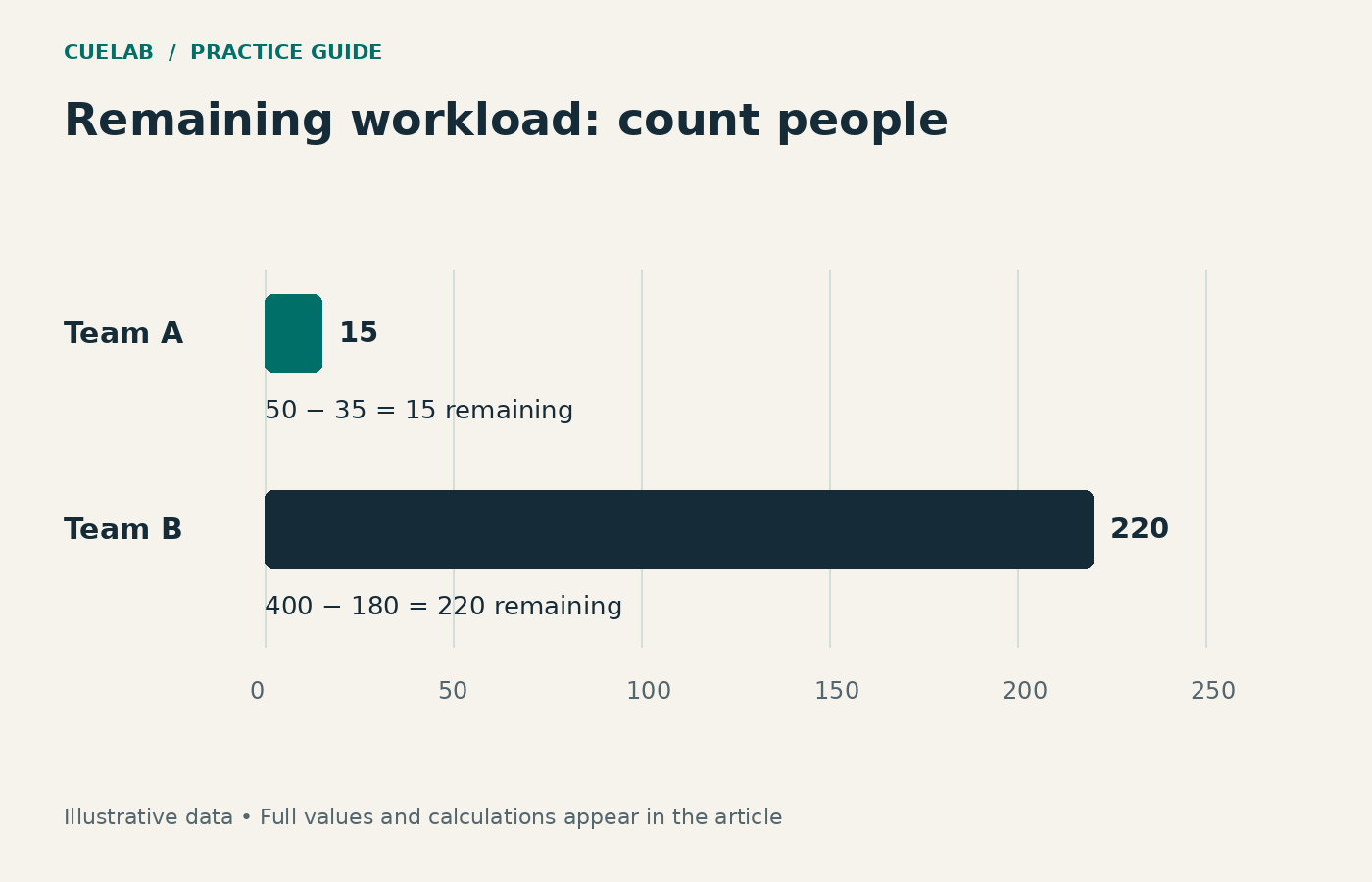
| B | 180 | 400 | 45% | 220 |
Team A has the higher completion rate. Team B has the larger number of completions. Team B also has more people remaining to complete the course. None of those observations contradicts the others.

Choose the question before choosing the headline
If a manager asks where completion is proportionally furthest behind, compare 70% and 45%. If the training coordinator asks how many follow-up invitations are needed, compare 15 and 220 remaining staff. If the audience asks how many people the programme has reached, compare 35 and 180 completions.
| Audience task | Suitable title | Number to emphasize |
|---|---|---|
| Compare the share completed | Team A’s completion rate is 25 percentage points higher | 70% versus 45% |
| Count people already reached | Team B has 180 completions, compared with Team A’s 35 | 180 versus 35 |
| Plan the remaining workload | Team B has 220 staff still to complete the course | 220 versus 15 |
A vague headline such as “Team A performs better” hides the measure and invites a broader judgment. The data do not establish staff effort, course quality, managerial competence, or a causal explanation for the difference. Name what you actually measured.
Check the arithmetic in a spreadsheet
Put the completed count in column B and the eligible count in C. In D2, use =B2/C2 and format the result as a percentage. In E2, use =C2-B2 for the remaining count. Copy both formulas to the next team row.
For A, 35 ÷ 50 = 0.70, or 70%. For B, 180 ÷ 400 = 0.45, or 45%. The direct difference is 70% − 45% = 25 percentage points. A relative comparison would divide that gap by the chosen starting rate: 25 ÷ 45 ≈ 55.6%. That answers “how much higher relative to B’s rate?”, not “how many more people completed?”.
Keep unrounded values in the spreadsheet and round only for display. Before using a denominator, check that it is positive and includes the people eligible for the measured event. If a group has no eligible participants, do not silently replace the undefined rate with 0%.
Build a slide that preserves both kinds of information
For the rate question, use two bars on a common 0–100% scale, label them directly, and place “35 of 50” and “180 of 400” beside the percentages. A shared scale makes the displayed lengths comparable. Keep colours consistent, but make the team names and values sufficient to understand the chart without colour alone.
For the workload question, show the remaining counts on a separate count scale. Do not place 70 and 180 on the same axis: one is a percentage and the other is a person count. Two clearly named panels are easier to interpret than one visual mixing incompatible units.
When the audience needs exact values for several teams, a small table may serve them better than a chart. Use the table-or-chart decision guide to make that choice. For a slide title that states a supported observation, see the guide to claim-based titles.
The explanation to say aloud
“The first panel compares completion rates. Team A is at 70%, based on 35 of 50 staff. Team B is at 45%, based on 180 of 400. That is a 25-percentage-point gap. The second panel answers a different question: how many people still need to complete the course. There are 15 in A and 220 in B, so most of the remaining follow-up workload sits in B.”
Then state the limit: “These are completion figures for the same reporting window. We have not yet established why the teams differ.” If a recommendation follows, explain the additional evidence you would need, such as access to sessions or the dates staff became eligible. Avoid attaching an explanation merely because the chart looks decisive.
Check definitions before comparing real groups
Ask whether both groups count the same event, use the same eligibility rule, and cover the same period. A team that received the course yesterday is not directly comparable with one that had a month. A denominator containing leavers in one group and only current staff in another can also distort the interpretation.
Different group sizes do not make every comparison invalid. They make the denominator essential. If the figures are sample estimates rather than complete counts, uncertainty also matters; the arithmetic here does not supply confidence intervals or a significance test. Keep that statistical task separate from calculating the observed rates.
A practice check with an answer key
Group C has 12 completions out of 20 people. Group D has 45 out of 100. Before reading the answer, identify the higher rate, larger completed count, larger remaining workload, and percentage-point gap.
Answer: C’s rate is 60%; D’s is 45%. C has the higher rate, but D has more completions: 45 versus 12. D has 55 people remaining, compared with C’s 8. The rate gap is 15 percentage points. The claim “C completed more people” is false; “C completed a larger share of its group” is supported.
Use the Presentation Audit Checklist before sharing your slide. The final check is straightforward: can the audience identify the measure, the denominator, and the question your title answers?