Examples of Visual Communication: Match the Format to the Task

Examples of visual communication include maps, diagrams, signs, charts, labelled photographs and layouts that show relationships. A visual is useful when it helps someone locate, compare, follow or act on information. Adding an image does not automatically make a message clearer.
This guide compares everyday visual tasks and shows how to choose a format. The situations and redesign exercises are original. You can use simple hand drawings for practice; the quality being tested is whether the intended information is understandable, not whether the drawing looks professionally illustrated.
Example 1: wayfinding at a temporary event
A visitor needs to find registration in a building they do not know. A large decorative photograph of the building does not answer the immediate question. A simple plan with the entrance, registration desk and an identifiable route may be more useful.
Orient the map to a clear starting point and pair the visual route with readable location names. Check the actual path, including whether people using different entrances or access routes need different instructions. A sign is a promise about what someone can do; test that promise in the setting rather than judge the sign only on a screen.
Example 2: comparing options
A team must choose between three workshop schedules. A table can show the same criteria for each option: start time, duration, travel requirement and preparation. A collection of unrelated pictures may create atmosphere but make the comparison harder.
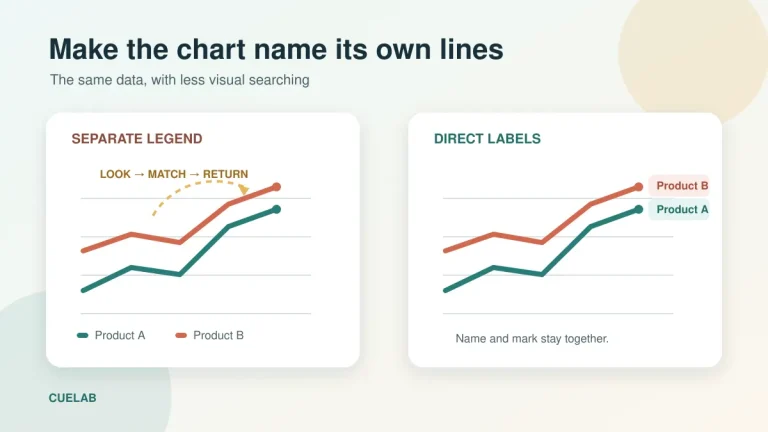
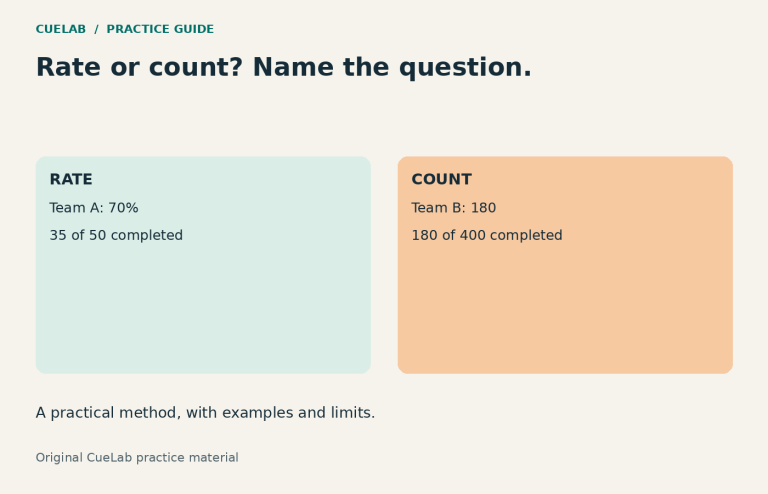
Keep equivalent information aligned. If one option lists total duration and another lists only teaching time, the visual comparison can mislead even when each number is individually correct. Name the measure and any important condition. Use a chart when the main task is seeing a numerical pattern, and a table when exact values or mixed attributes need inspection.
Example 3: showing a sequence
A process diagram can show what happens first, what depends on a condition and what happens next. For example, a submission process might separate “upload draft,” “receive comments,” “revise,” and “submit final.” Label a branch when a choice or condition changes the route.
Do not use an arrow merely because it makes the page look connected. Explain whether it means sequence, cause, transfer or a possible path. If a step can happen in parallel, a straight line may imply a dependency that does not exist. A short written explanation can state exceptions that a small diagram cannot show comfortably.
Example 4: explaining parts of an object
A labelled photograph or sketch can help a learner identify a control, connection or component. Put labels near the relevant parts and avoid covering the feature they are meant to identify. A close view may be needed when the whole object is too small to inspect.
Decide whether the learner needs location, function or a procedure. “This is the release button” identifies a part. It does not explain when pressing it is appropriate. Pair the image with the necessary instructions and limitations rather than expect a label to carry the entire explanation.
Example 5: showing time and responsibility
A timeline can show milestones and their order. A responsibility table can show who owns each output. These are different relationships. Combining them is useful only when the result remains readable and the audience can still answer the intended question.
For a small class project, a dated list with owner names may be clearer than a detailed project chart. Keep the current version visible and mark whether a date is planned or confirmed. A visually precise line can create false certainty if it does not show a dependency that remains unresolved.
Example 6: supporting a spoken explanation
A speaker explaining a comparison can use a visual that remains available while listeners inspect it. The spoken words should identify the relevant part and explain the inference. Reading every label aloud may be less useful than naming the comparison and its important condition.
Provide an appropriate text alternative for meaningful images. A complex chart or diagram may need a fuller written equivalent in addition to a short description. Do not rely on colour alone to identify a group or action. Keep essential labels available as readable text where practical.
A format-selection guide for students
| Audience task | Possible format | Question to test it |
|---|---|---|
| Locate a place | Map or directional sign | Can a newcomer find the starting point and route? |
| Compare options | Aligned table or suitable chart | Are the measures and conditions comparable? |
| Follow a process | Numbered steps or process diagram | Is the sequence clear, including a branch? |
| Identify a part | Labelled image | Can the person locate the feature without guessing? |
| Understand timing | Timeline or dated list | Are planned dates distinguishable from confirmed ones? |
| Take an action | Readable instruction with a supporting visual | Is the required action explicit? |
Try a before-and-after design exercise
Use the fictional announcement “Workshop next week, usual room, bring materials.” First identify what a newcomer needs to know. Then choose a visual only if it solves one of those needs. A room map might help with location, but it cannot replace the missing date or explain which materials are required.
Make two rough versions and ask a partner three task questions: Where would you go? What would you bring? What would you do if the room changed? Record the answers rather than ask only which version looks better. Revise the part that caused uncertainty. This is a small usability check, not a formal accessibility or design certification.
Common questions
Is visual communication the same as graphic design?
The terms overlap, but visual communication describes how visual forms convey information. Graphic design is a broader practice that can include planning, typography, imagery, production and other design work.
Can a drawing be effective visual communication?
Yes. A simple drawing can be useful when its labels, relationships and purpose are clear. Artistic detail is not a substitute for the information needed to complete the task.
Should every slide contain an image?
No. Use an image when it contributes information or an appropriate function. A readable sentence, table or short list may be the better choice for a particular moment.
Related guides: choosing a table or chart; using presentation images purposefully.