Professional Email Etiquette: Four Worked Messages and Better Replies
Professional email etiquette makes it easier for another person to understand why you are writing and decide what to do next. A courteous greeting helps, but it cannot compensate for an unclear request, an unexplained attachment or a reply sent to people who do not need it.
This guide covers business email etiquette through original, fictional messages: a review request, a change announcement, a follow-up and a correction. Adapt the language to your working relationship and local practice. The examples are models for making decisions visible, not rigid scripts that every workplace must follow.
A professional email format built around the reader’s task
Start by writing the action you want in plain language. Then decide what context the recipient needs to assess it. If the purpose is only to inform, say whether a reply is needed. That small distinction prevents someone treating an announcement as a task or assuming that silence counts as approval.
| Part | What it should establish | Example |
|---|---|---|
| Subject | The topic and useful action or status. | Review requested: workshop agenda B |
| Greeting | A suitable opening for the relationship. | Hello Amina, |
| Purpose | Why the recipient is receiving this message. | Please check the session order before we circulate the agenda. |
| Context | The facts needed to respond. | The opening session must finish before the room changes. |
| Next step | Action, response route and any real deadline. | Add comments to agenda B by Thursday at 3 pm. |
| Closing | A courteous ending and identifiable sender. | Thank you, Rafi / Event coordinator |
Use a meaningful subject rather than “Important,” “Hi” or “Question” when the recipient needs to distinguish several conversations. A subject line is a label, not a second paragraph. For a changed purpose, begin a new thread or update the subject so that an old discussion does not conceal a new decision.
Example 1: request a focused review
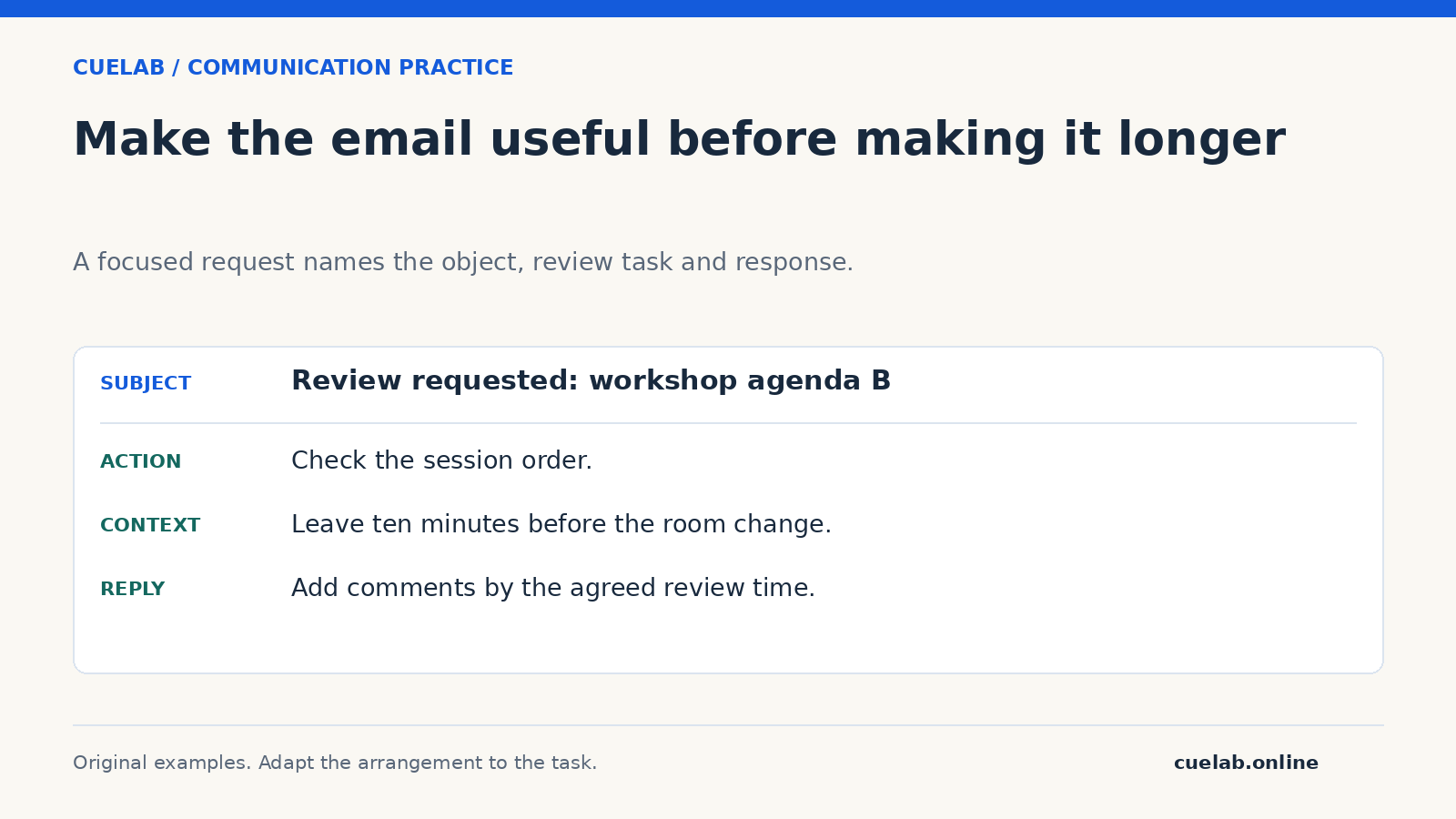
Subject: Review requested: workshop agenda B
Hello Amina,
Please check the session order in agenda B and add comments by Thursday at 3 pm. We need to leave ten minutes before the room change; the other session lengths are unchanged.
Would you also flag any title that does not match the speaker’s latest confirmation? If the review timing is difficult, please let me know today so we can adjust the circulation plan.
Thank you,
Rafi
Event coordinator
The request specifies the version and the kind of review. It does not ask for every possible improvement to the event. The deadline has a practical role, while the invitation to flag a timing difficulty allows the recipient to respond honestly. Replace the fictional details with facts you have checked.
Example 2: announce a change and label the required response
Subject: Confirmed room change: Friday’s design session
Hello team,
Friday’s design session will meet in Room 4 at the originally agreed time. Room 6 is unavailable. The session length and preparation task are unchanged.
Please update your calendar location. No email reply is needed unless the new room creates an access or scheduling difficulty; contact me directly if it does.
Thank you,
Mira
The message distinguishes what changed from what stayed the same. It also distinguishes an action from a reply. “No reply needed” would be misleading if you actually require attendance confirmation, so check the response you need before using that phrase.
Choose professional email greetings and sign-offs by context
For a first contact, use the person’s name and title as they have presented them. Avoid guessing a gendered title. “Hello Dr Patel” may suit a known academic title; “Hello Morgan Lee” works when the full name is known but a title is not. Where a role address is all you have, a relevant team greeting can be clearer than an invented personal name.
Continuing a short exchange does not always require repeating the full greeting and signature, but retain enough context for the reply to make sense. “Thank you” or “Best regards” can provide a simple sign-off. Include contact information that is useful for the task rather than a decorative block that overwhelms a two-line message.
Decide who needs To, Cc and Reply all
Workplace conventions differ, so agree what these fields mean in your team. A useful starting point is to place people expected to respond in To and people who need awareness in Cc. The fields themselves do not assign responsibility clearly; name the action owner in the message when that distinction matters.
Before using Reply all, ask whether every recipient needs this particular response. A corrected meeting location may be relevant to the group; a private explanation about your availability may not be. When forwarding an exchange, inspect the earlier messages and attachments as well as the latest line. A long thread can carry information that was never intended for the new audience.
Attachments and shared files: make the object identifiable
Name the document and explain what the recipient should do with it. “Attached” is weak when three files have similar names. State the version or date where needed, then check that you have included the intended object. If you use a shared link, confirm that the intended recipient has the access required for the task without opening it more widely than necessary.
Keep the email usable when a file cannot be opened immediately. Put the purpose, deadline and essential change in the body. Do not ask a stranger to inspect an unexplained attachment just to discover why you are contacting them. Follow your organisation’s channel and handling rules for confidential information.
Example 3: follow up without inventing a universal waiting period
Subject: Follow-up: session title confirmation
Hello Jo,
I’m following up on the title check below. We plan to prepare the programme on Thursday. Could you confirm the title or tell me when you expect to check it?
If you are no longer the right contact, please let me know who handles this confirmation.
Thank you,
Rafi
There is no single response period that suits every workplace, time zone or task. Use the agreed expectation and the real consequence of delay. A routine follow-up should not imply that the recipient has behaved badly merely because your preferred timing was never stated. If an immediate answer is essential, use the agreed urgent route rather than relying on an emphatic subject line.
Example 4: correct an error clearly
Subject: Correction: review meeting is at 2 pm
Hello everyone,
I gave the wrong time in my earlier message. The review meeting is at 2 pm, not 1 pm. The room and agenda are unchanged.
Please use 2 pm in your calendar. I’m sorry for the confusion.
Thank you,
Mira
Name the corrected fact near the beginning. A vague apology such as “Sorry for any confusion” does not tell people which instruction to replace. Check the source before sending a correction so that you do not create a third competing version.
A quick exercise: repair the message before polishing the tone
Consider: “Hey all, look at this ASAP and tell me what you think. We need to move fast.” First identify the missing facts: the object, the review task, the response owner and the actual deadline. A warmer greeting alone would leave all four gaps.
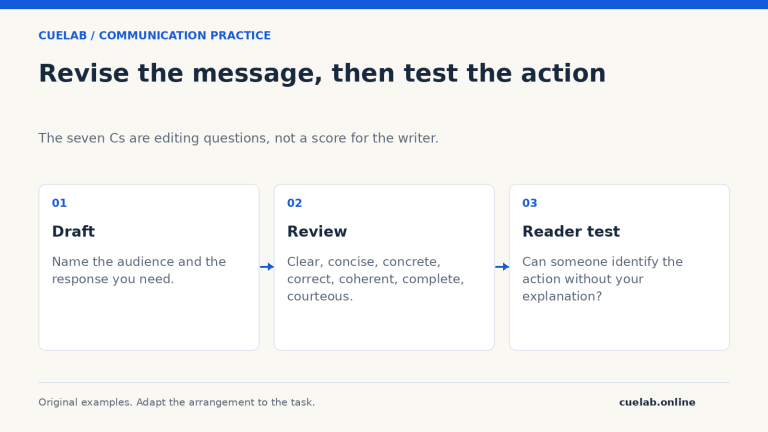
Assume the task is to check the room labels on a poster by noon tomorrow. One revision is: “Hello Noor, please check the room labels on poster C and add corrections in the comments by noon tomorrow. We need the confirmed labels before printing. The artwork does not need another design review.” Compare this with the seven-Cs editing checks to explain what changed.
Common questions
Must every business email sound highly formal?
No. Match the relationship and task while keeping the message respectful and understandable. A conversational style can still carry an official decision; see formal and informal communication.
Can students use this format when emailing a lecturer?
Yes. Identify the course or task, ask a focused question and include the information the lecturer needs. Follow any published course contact instructions.
Should I apologise for every follow-up?
Not automatically. State why you are following up and what response would help. Apologise when you caused an error or disruption rather than using an apology to hide the request.