Why People Keep Talking Over Each Other on Video Calls

Two people begin speaking at the same moment on a video call. Both stop. Each waits for the other, both restart, and the collision happens again. It feels clumsy enough that someone apologizes, even though neither person was trying to interrupt.
Talking over one another online is often treated as a manners problem. Manners can be part of it, but video calls also disturb the timing system that ordinary conversation relies on. Small transmission delays separate the moment a person speaks from the moment others hear it. Camera framing hides some of the movements that signal an intention to talk. In a group, every participant receives a slightly different version of the same moment.
Once you understand that timing problem, the fix is not simply “be more polite.” A few changes to pacing, facilitation, and audio habits can make an online conversation feel far less awkward.
Face-to-face turn-taking is faster than it looks
Conversation rarely works like a formal queue. Listeners begin preparing a response before the speaker has finished, using sentence structure, intonation, gaze, breathing, gesture, and the meaning of the message to predict a possible endpoint. Research on conversational timing reports that transitions are often measured in only a few hundred milliseconds. People coordinate quickly because they are responding to a shared physical event.
Not every overlap is a failure. A brief “yes,” laugh, or supportive phrase can show involvement without taking the floor. Friends may finish a familiar phrase together. In energetic discussion, a short overlap can occur and resolve itself immediately. The problem is competitive overlap: two people launch full turns, neither can tell who should continue, and both have to repair the exchange.
In the same room, repair is helped by subtle evidence. One speaker continues confidently while another lowers their voice. A person draws breath and leans forward. Eye direction identifies the next respondent. Video carries only part of that evidence, and it does not always deliver sound and movement at the same time.
Latency creates more than a simple delay
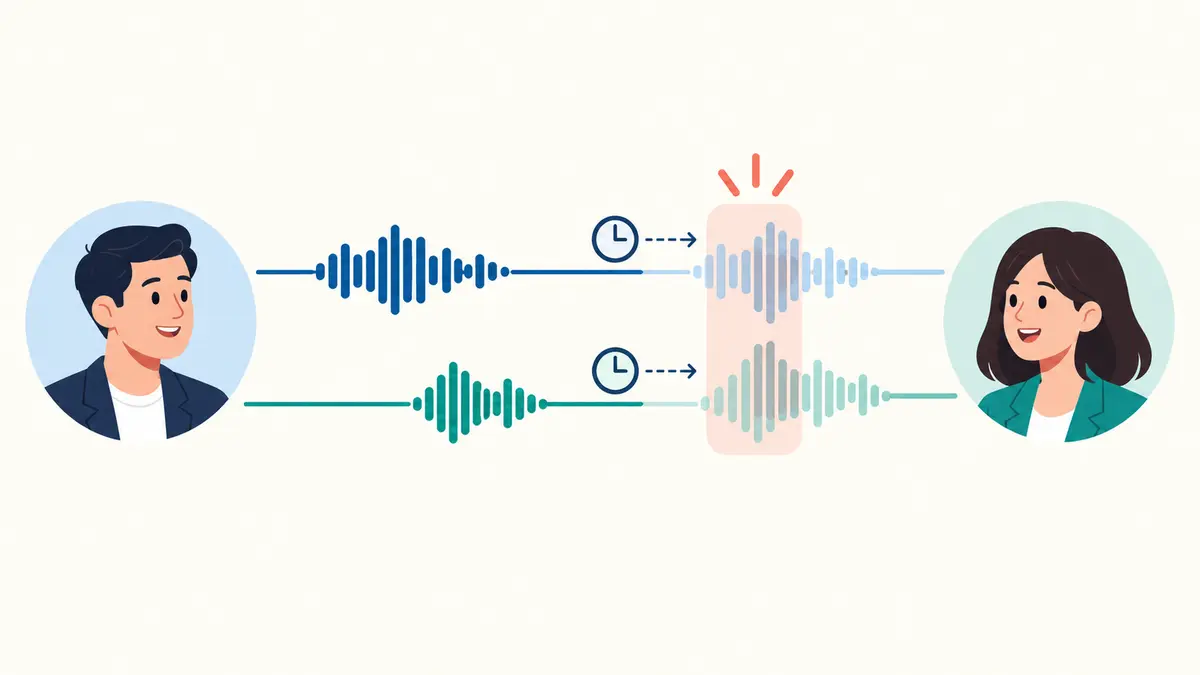
Latency is the gap between an action on one side of a call and its arrival on the other. A delay of a fraction of a second may not be consciously noticeable, yet it can still disrupt a turn boundary. You hear silence and begin answering, while the other person has already continued speaking. From their side, your answer arrives as an interruption.
Researchers Lucas Seuren, Joseph Wherton, Trisha Greenhalgh, and Sara Shaw examined video consultations by comparing recordings from both ends of the same calls. Their analysis showed that latency can make participants perceive silence where a response is already being produced, leading to overlap and making it harder to restore one-speaker-at-a-time talk. The important point is that participants usually act as though they share one immediate conversation. They cannot directly see that each side is receiving a delayed version.
This explains the familiar double start. Person A asks a question. Person B begins responding, but the response has not yet reached A. A interprets the silence as hesitation, adds another explanation, and that addition reaches B after B has started. Both have behaved reasonably according to the timeline available to them.
The delay is variable, which makes adaptation harder
If every message arrived exactly half a second late, people might settle into a slower but stable rhythm. Real calls are less predictable. Network conditions, wireless interference, audio processing, and device performance can make the delay change during a meeting. A rhythm that worked one minute may produce collisions the next.
Audio and video may also provide slightly different timing cues. A mouth movement can appear before or after the sound associated with it. A participant freezes at the end of a sentence. Noise suppression may cut a quiet first word, so a listener hears the response only after it is underway. The result is not just slower conversation; it is less reliable prediction of when a turn begins or ends.
This is one reason people sometimes add a larger gap before speaking online. A 2023 corpus study comparing face-to-face, online audio, and online video conversations found slower turn transitions in the online settings. The authors also noted that differences could be influenced by factors such as formality, so this should not be turned into a universal rule that online calls always contain more overlap. People adapt in different ways: some wait longer, while others repeatedly collide.
Seeing faces does not restore the whole room
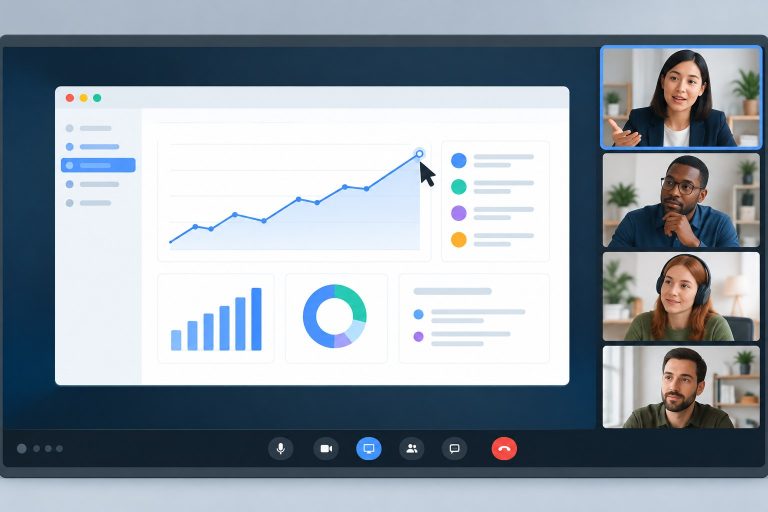
Video provides expressions and some gestures, but the grid is not equivalent to shared space. Participants may be looking at different layouts because the software reorders tiles. A person watching a shared screen may not see the hand movement of someone who wants to speak. Cameras show head and shoulders while hiding posture, breathing, and movements below the frame.
Gaze is especially ambiguous. Looking at another participant’s image usually means looking away from the camera, so the person does not receive direct-looking eye contact. CueLab’s guide to why eye contact works differently through a webcam explains this camera-screen mismatch. For turn-taking, it means “I am looking at you because I want you to answer” may not appear that way on the other side.
In a physical room, the current speaker can direct a question toward one person with gaze and body position. On a call, “What do you think?” may reach six people without a clear addressee. Everyone waits to avoid interrupting; then two people decide the pause has become long enough and answer together.
Group size turns a timing issue into a coordination issue
A two-person call has one possible next speaker. A meeting with eight people has seven. Participants must judge not only whether the current speaker has finished but whether someone else intends to take the floor. Those intentions are hard to read in small video tiles, and some may be off-screen on a phone.
Status changes the calculation too. A junior colleague may wait longer than a manager. A quiet participant may abandon a comment after two failed attempts. Someone using a second language may need more time to formulate a response, only to have the pause filled by a faster speaker. What looks like smooth conversation can therefore hide unequal access to the floor.
Software tools such as a raised-hand button can help in structured meetings, but they can feel heavy in a quick discussion. The meeting needs a coordination method that matches its size and purpose rather than one rule applied to every call.
Common habits that make collisions worse
Some speakers treat every pause as a problem and fill it immediately. On video, that removes the small buffer another person needs to enter. Long questions with several parts create another difficulty because participants cannot tell whether the speaker wants an answer or is continuing to the next part.
Verbal listening signals can also become disruptive. In the same room, quiet sounds such as “mm-hm” sit behind the main speaker. Conferencing software may raise that sound, switch the active-speaker frame, or briefly suppress the original voice. Use visible nods or reactions when the platform carries them reliably, and reserve spoken acknowledgments for moments when they add meaning.
Poor microphone habits add false turn cues. A person begins talking while muted, others hear silence and start, then the first person’s voice arrives halfway through the sentence. Background noise may hold the audio channel open. Aggressive noise cancellation can remove soft openings. Testing the microphone matters, but the social repair still needs to be simple when technology fails.
What a host can do without making the meeting rigid
The host has the clearest view of participation patterns. Their job is not to control every exchange but to step in when the medium stops allocating turns fairly.
Name the next speaker before the question ends
“Maya, what risk do you see in this plan?” gives one person the floor. It is usually smoother than asking the whole group and waiting for volunteers. For open discussion, the host can name an initial respondent and then invite others: “Maya first, then anyone who sees it differently.”
Use a short handoff
At the end of a longer contribution, say “That’s my main point” or “Back to you, Daniel.” The phrase is not needed after every sentence, but it is valuable when the speaker has paused several times while thinking and listeners may be unsure whether the turn is complete. This builds on the distinction in CueLab’s article about thinking pauses and nervous pauses: silence alone does not reliably announce that a speaker is finished.
Keep a visible queue for larger discussions
Use the raised-hand feature, chat, or a simple spoken queue. When two people start together, the host can say, “Sam, then Priya,” and preserve both contributions. The second person no longer has to compete or remember whether their turn disappeared.
Protect the pause after a question
Wait slightly longer than feels natural before rephrasing. The extra moment covers network delay and gives participants time to decide who will respond. Do not stare at one person’s tile and repeat the question immediately; their answer may already be travelling toward you.
What participants can do in ordinary conversation
You do not need a formal hand-raising system for a three-person call. Small verbal markers are often enough. Begin with the person’s name when directing a question. If you want to add a point, a brief “Can I come in after Lee?” is clearer than repeatedly starting a full sentence. When you finish a complex answer, lower your voice slightly and use a closing phrase rather than ending on an ambiguous pause.
If two people collide, stop once and resolve it directly: “You go first; I’ll come after.” Avoid a long exchange of “No, you go.” The purpose of the repair is to establish order, not to prove generosity. The person going second can write a two-word note so the idea is not lost while listening.
When your connection is unstable, say so. Others can then interpret delayed responses as a technical condition instead of disengagement. Turning off incoming high-definition video may help on some connections, but do not claim it will solve every delay; the bottleneck may be elsewhere.
Match the meeting format to the kind of talk
A status update can use named turns with little loss. A brainstorming session needs faster, less formal entry, so smaller breakout groups may work better than asking fifteen people to compete in one room. A sensitive one-to-one conversation needs enough pause for thought and may benefit from fewer visual distractions. A teaching session needs a clear route for questions that does not depend on students interrupting at exactly the right millisecond.
Audio-only communication is not automatically worse. Removing video can reduce visual distraction and bandwidth use, while also removing facial cues. The better choice depends on whether the task needs shared visual material, social presence, or rapid discussion. Keep the slides or document visible only when they help the current task; a shared screen that shrinks everyone into tiny tiles makes turn intentions harder to see.
For meetings where camera gaze matters, use the practical placement advice in where to look during a video call, but do not force continuous camera staring. Turn-taking improves more from clear invitations and handoffs than from trying to simulate perfect eye contact.
A quick reset when the conversation keeps breaking
If the group has three collisions within a few minutes, pause the discussion and identify the likely cause. Ask whether anyone has a serious delay or audio problem. Close unnecessary downloads or high-bandwidth activity where practical. Then agree on a temporary method: named turns for decisions, raised hands for a large group, or a host-maintained queue.
Also shorten the speaking units. One question at a time is easier to hand over than a three-part prompt. Summarize a long answer before opening the floor. If the issue continues, move non-urgent comments to chat or an asynchronous document rather than forcing a broken real-time exchange.
People talk over each other on video calls because human conversational timing is precise while online delivery is imperfect. The useful response is a little more space, clearer ownership of the next turn, and quick repair when two versions of “now” collide. That preserves natural discussion without pretending the call is the same as sharing a room.